

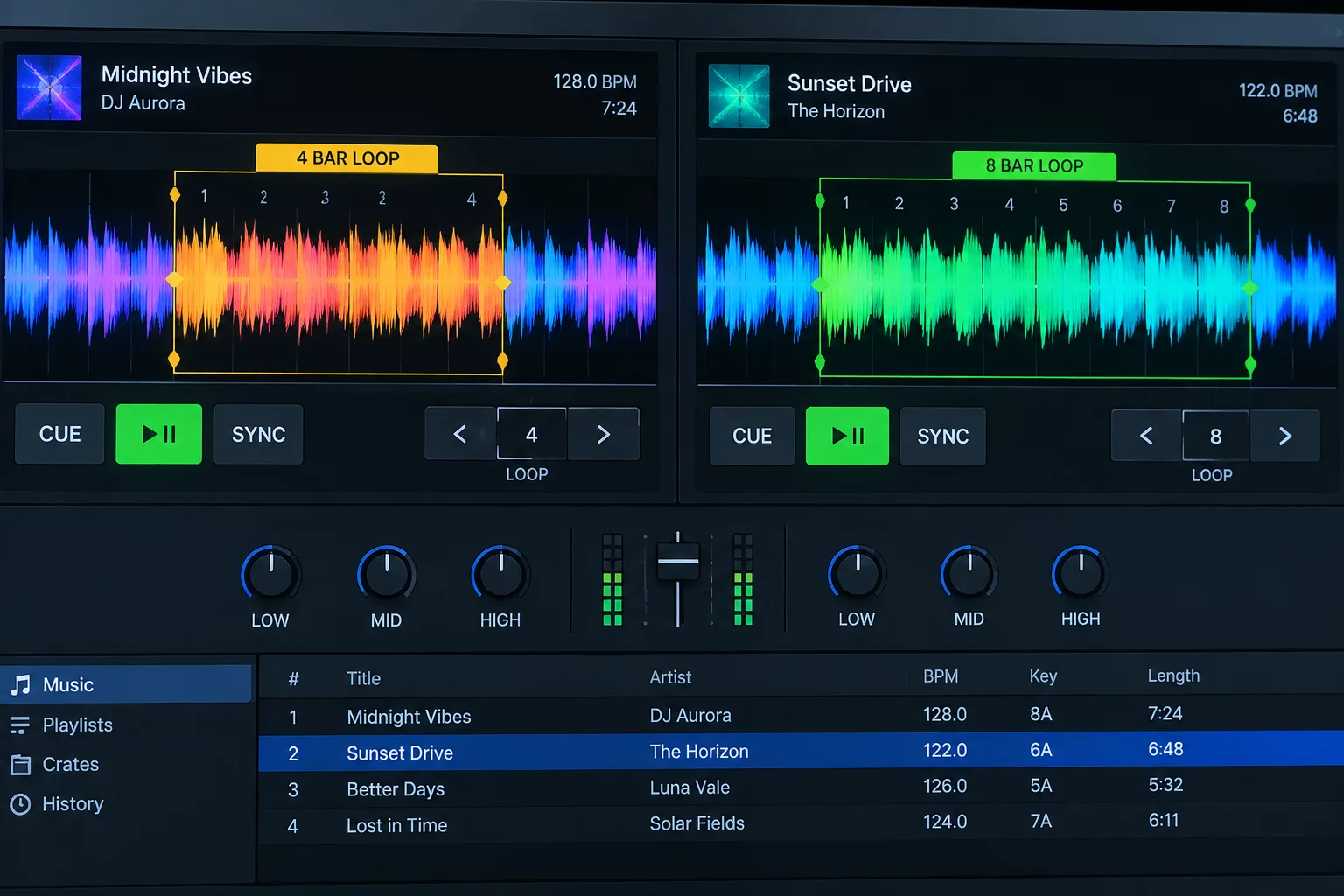
Why Fixed Outros Limit Creative Transition Paths
Modern electronic and urban productions tend to drop elements abruptly during the final sixteen bars. A kick drum cuts out unexpectedly, a vocal reverb tail decays into complete silence, or a sudden sub-bass rumble dissolves before the incoming record establishes its primary rhythm. When playing live on club systems, relying on these original outro arrangements forces unnecessary rush into the mixer workflow.
An exit loop reclaims authority over this vulnerable moment by anchoring a steady percussion phrase before the production strips away. Instead of staring at decreasing bar counters on the Serato deck waveform while second-guessing an incoming phrase match, you capture an uninterrupted repetition of the primary groove. The track continues indefinitely on your terms, giving you the freedom to hold the dancefloor in tension until the next musical chapter arrives.
Capture Before the Stripped Down Measure
Set your loop boundaries across the energetic drum phrase directly preceding the final reduction. This preserves full kick-and-percussion weight so the transition retains club floor momentum.
"An exit loop converts an arbitrary production ending into an elastic groove bed. It turns emergency fader drops into patient, measured statements."
Configuring the Ideal Length and Harmonic Window
Choosing the exact length of the loop determines whether the outgoing song breathes or turns monotonous. Four bars often feel too tight if sustained over ninety seconds, drawing listener attention straight to repeated hi-hat variations. An eight-bar or sixteen-bar loop, on the other hand, preserves enough musical progression to feel like a natural extension of the original master track.
- Isolate sections where dominant melodic instruments have resolved to reduce harmonic clashing.
- Store the marker inside Serato Saved Loops rather than relying on on-the-fly manual captures.
- Activate auto-quantization to guarantee exact on-beat re-triggering during intense performance moments.
Fader Execution, Filtering, and Exit Timings
Once the exit loop engages, the channel fader ceases to be a countdown timer. You can let the outgoing groove run underneath the incoming intro for thirty-two or even sixty-four bars. As the incoming song builds its initial percussion layer, dial out the low-end frequencies of the looping deck using your mixer equalizer. This prevents muddy sub-bass overlap while maintaining top-end cohesion.
Gradual High-Pass Filtering
Apply subtle high-pass filtering along with a light space delay over the final four bars of the loop. When you eventually kill the channel fader, the track evaporates into the mix naturally.
Refine Your Transition Timing Today
Explore real-world case analyses on intro extensions, vocal breathing spaces, and rhythm management across our interactive modules.